 KinPing
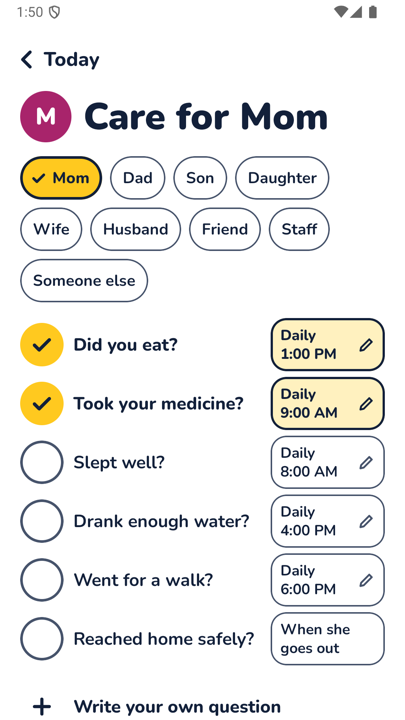
Daily check-in questions for family work best when they are small, specific and the same every day. KinPing gives you six ready-made ones, each with its own daily time, and a line to write your own. Tick the ones that fit, set a time, and they approve once before anything is sent.
The six ready-made questions
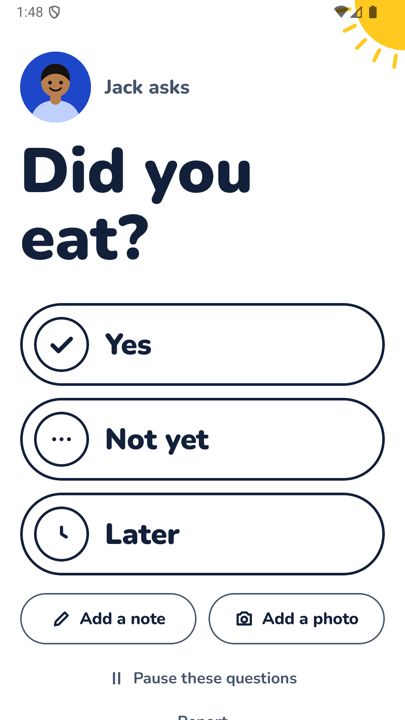
Did you eat?
The question every family asks, turned into one tap a day. Daily at 1:00 PM in the ready-made list, with an optional photo of the plate.
Took your medicine?
A daily yes at the hour the tablets are taken. A check-in question, not medication management: no doses, no schedules, just the answer.
Slept well?
The gentlest way to open the day with someone far away. Daily at 8:00 AM in the ready-made list, at their local morning, not yours.
Drank enough water?
A small afternoon question. Daily at 4:00 PM in the ready-made list, with "Not yet" as a perfectly good answer.
Went for a walk?
Did they get out today, without any GPS to find out. Daily at 6:00 PM in the ready-made list, and a photo from the walk is the best part.
Reached home safely?
Replaces the daily "home yet?" text. In the ready-made list it is set to "When she goes out," and the answer arrives with one tap.
Write your own
If none of the six fit, tap Write your own question at the bottom of the list and type what you want to ask. Keep it short enough to answer with Yes, Not yet or Later. "Did you have dinner?" makes a second meal question. "How was the exam?" suits a student on a big day. Your own questions work like the ready-made ones. They go out at the time you set, in the other person's time zone, and they approve each one once.
How a question reaches them
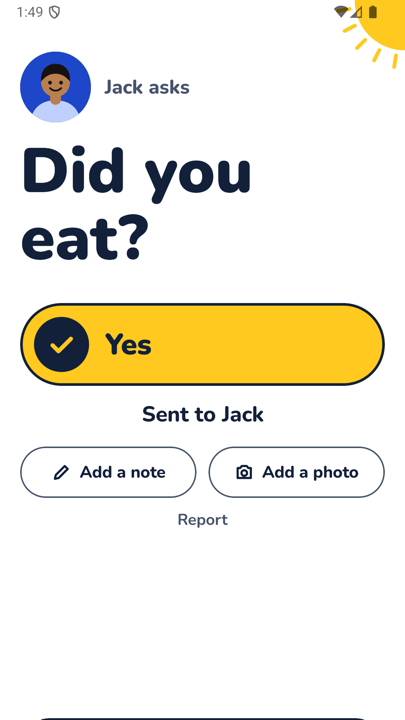
Every question arrives at its set time where they are. If they have the app, it shows up there. If they do not, it comes as a link in WhatsApp or SMS that opens in the browser, so no app is needed to answer. They tap Yes, Not yet or Later, and can add a note or photo.
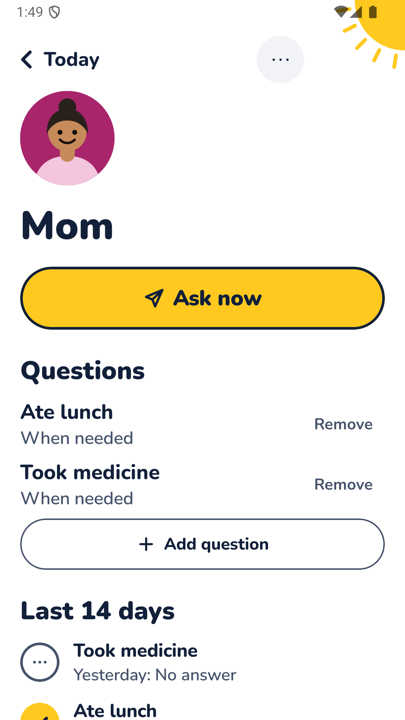
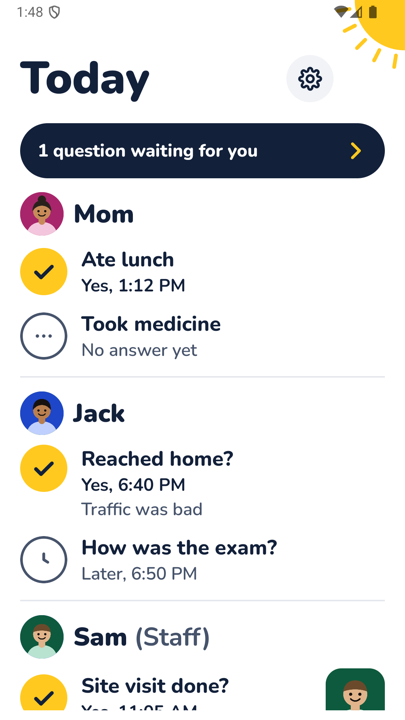
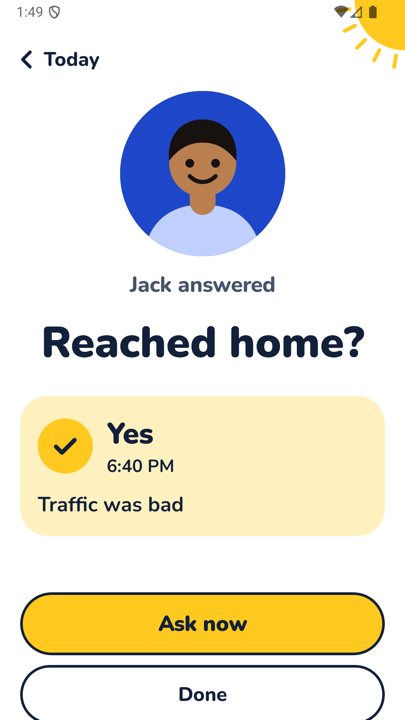
You see the answer on your Today screen, with a yellow tick for answered and an empty circle for waiting. There are reminders for questions waiting for you, and up to 14 days of history per person. The full flow is on how it works.
Both people choose to connect, and either side can pause, leave, report or block at any time. There is no GPS tracking and no hidden mode. KinPing is not an emergency service: a missing answer may just mean a phone is off.