 KinPing
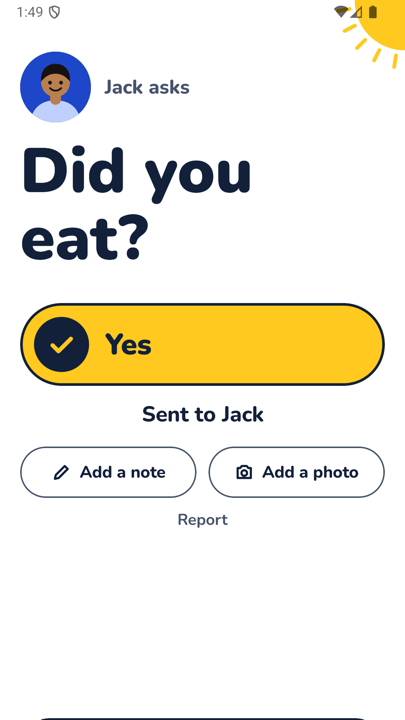
"Took your medicine?" is the question many adult children ask every single day, by text, by call, or by worrying quietly. KinPing turns it into a daily check-in question that arrives at the same time each day and takes one tap to answer.
To say it plainly up front: this is a check-in question, not medication management. KinPing holds no list of pills, doses or schedules. It asks whether they took their medicine today and records the answer they chose. That is all.
Why families ask this question
Medicine is an everyday habit that is easy to lose track of. A short question at a fixed time gives them a moment to check, and gives you a simple answer instead of a guess. When the tablets are already answered, the phone call can be about the garden instead.
Who asks whom
- A daughter or son checking on an elderly parent living alone.
- A wife or husband away on a trip, checking on a partner with a daily prescription.
- A friend checking on a friend who has just come home from hospital.
Both people choose to connect, and the person answering approves the question once. Either side can pause, leave, report or block at any time.
How KinPing sends it
Set a time that matches when the medicine is taken, for example daily at 9:00 AM. It arrives at 9:00 AM in their time zone, in the app if they have it, or as a link in WhatsApp or SMS that opens in the browser if they do not.
They see "Took your medicine?" in large type and three buttons: Yes, Not yet, Later. "Not yet" is an honest, useful answer. It means they saw the question and the tablets are still on the counter. A note or photo is optional.
On your Today screen the answer appears with a yellow tick and the time, or an empty circle while you wait. There are reminders for questions waiting for you, and up to 14 days of history per person.
Setting it up in the app
- Add the person and pick a label, for example Mom or Dad.
- Tick Took your medicine? in the ready-made list.
- Tap the time and set it to the hour the medicine is normally taken, in their local time.
- They see "wants to check on you," switch the question on, and tap Accept.
If medicine is taken morning and evening, tick the ready-made question for one and write your own question, such as "Evening tablets done?", with its own time.
Wording that feels like care
Medicine can be a sore point for a parent who does not like being managed. A few things keep the question gentle:
- Ask about today, not about compliance. "Took your medicine?" is better than "Are you remembering your medicine?"
- Treat "Not yet" as good news. They answered, and the question itself was the nudge.
- Never follow a "Not yet" with a lecture. A short "no rush" keeps the next day's answer honest.
- Talk about it once before the first question goes out, and let them approve it on the screen.
What it is not
KinPing is not a pill organizer, a dosing app or a medical device. It does not know which medicine, how much, or how often. It is not an emergency service, and a missing answer may just mean a phone is off. If you are worried, call them. There is no GPS tracking and no hidden mode.
See the other ready-made questions on daily check-in questions for family, or read how it works for the full flow.
Updated 2026-11-05.